What we will learn
-
Django Models
-
Django admin site
The source of this summary The first link
The source of this summary The second link
Django Models
A model is the single, definitive source of information about your data. It contains the essential fields and behaviors of the data you’re storing. Generally, each model maps to a single database table.
Fields
A model can have an arbitrary number of fields, of any type — each one represents a column of data that we want to store in one of our database tables.
#### Common field types
-
CharField is used to define short-to-mid sized fixed-length strings. You must specify the max_length of the data to be stored.
-
TextField is used for large arbitrary-length strings. You may specify a max_length for the field, but this is used only when the field is displayed in forms.
-
IntegerField is a field for storing integer (whole number) values, and for validating entered values as integers in forms.
-
DateField and DateTimeField are used for storing/representing dates and date/time information.
-
EmailField is used to store and validate email addresses.
-
FileField and ImageField are used to upload files and images respectively (the ImageField adds additional validation that the uploaded file is an image).
-
AutoField is a special type of IntegerField that automatically increments. A primary key of this type is automatically added to your model if you don’t explicitly specify one.
-
ForeignKey is used to specify a one-to-many relationship to another database model. The “one” side of the relationship is the model that contains the “key”.
-
ManyToManyField is used to specify a many-to-many relationship.
Creating and modifying records
save() :To create a record you can define an instance of the model
Searching for records
- We can get all records for a model as a QuerySet, using objects.all(). The QuerySet is an iterable object, meaning that it contains a number of objects that we can iterate/loop through.
- filter() method allows us to filter the returned QuerySet to match a specified text or numeric field against particular criteria.
The Django admin site
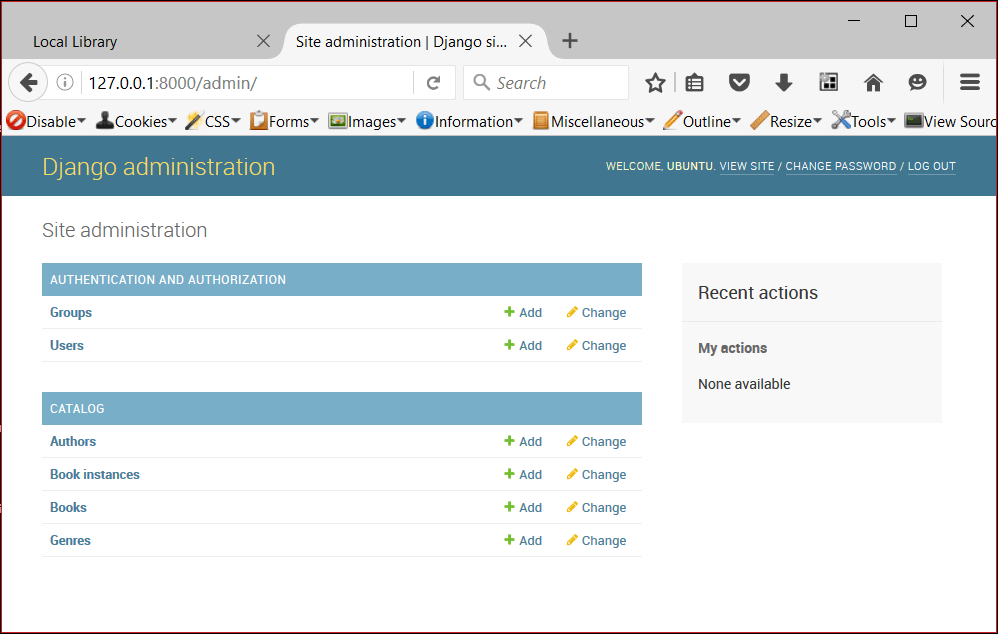
The Django admin application can use your models to automatically build a site area that you can use to create, view, update, and delete records. This can save you a lot of time during development, making it very easy to test your models and get a feel for whether you have the right data. The admin application can also be useful for managing data in production, depending on the type of website. The Django project recommends it only for internal data management , as the model-centric approach is not necessarily the best possible interface for all users, and exposes a lot of unnecessary detail about the models.
Registering models
This code imports the models and then calls admin.site.register to register each of them.
Creating a superuser
- For creating superuser, first reach the same directory as that of manage.py
-
enter the Username of your choice and press enter.
Username:
-
enter the Email address and press enter.(It can be left blank)
Email address:
-
enter the Password in-front of the Password field and press enter.Enter a strong password so as to keep it secure.
Password: ***
Logging in and using the site